Browse Search Popular Register Upload Rules User list Login:
Search:
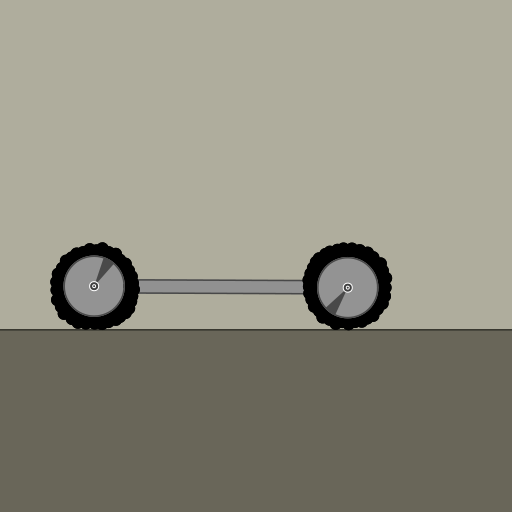
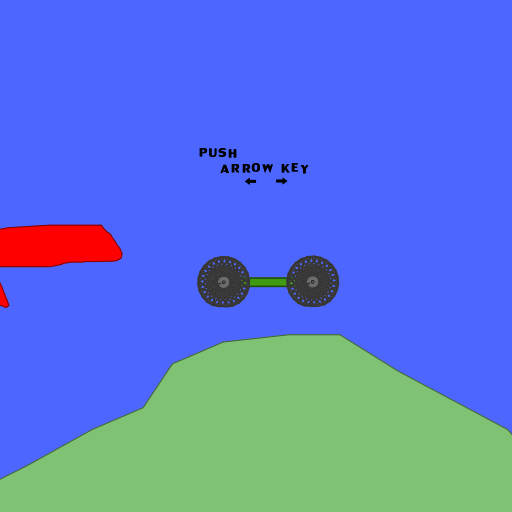
My first soft tire.

Image:
screenshot of the scene

Author: phunbox1 (Giggly Goo)

Group: phunbox1

Filesize: 152.73 kB

Date added: 2008-11-16

Rating: 4.3

Downloads: 239

Views: 381

Comments: 4

Ratings: 3

Times favored: 0

Made with: Phun

Tags:

Scene tag

Horrible, I know. PLEASE IMPROVE. Arrow Keys move the chassis.
Please log in to rate this scene
edit
Similar scenes
Title: Chunky Soft Tire Prototype
Rating: 7.5
Filesize: 272.45 kB
Downloads: 498
Comments: 7
Ratings: 6
Date added: 2008/08/29 13:19:32
Made with: Phun
Rating: rated 7.5
download
Title: soft tire v1
Rating: 6.25
Filesize: 132.06 kB
Downloads: 556
Comments: 1
Ratings: 4
Date added: 2009/01/20 07:10:50
Made with: Phun
Rating: rated 6.3
download
Title: Good Soft Tire Phunlet
Rating: 6.125
Filesize: 146.91 kB
Downloads: 508
Comments: 2
Ratings: 8
Date added: 2008/12/05 23:57:23
Made with: Phun
Rating: rated 6.1
download
Title: Realistic Softbody Tire
Rating: 5
Filesize: 55.16 kB
Downloads: 351
Comments: 0
Ratings: 1
Date added: 2026/02/14 06:26:49
Made with: Algodoo v2.2.4
Rating: rated 5
download
Title: SOFT RUBBER TIRE CAR
Rating: 7.125
Filesize: 438.18 kB
Downloads: 615
Comments: 6
Ratings: 8
Date added: 2008/11/10 15:19:38
Made with: Phun
Rating: rated 7.1
download
Title: Wheel, Flexible Tire
Rating: 5
Filesize: 125.51 kB
Downloads: 1763
Comments: 0
Ratings: 1
Date added: 2021/12/05 20:28:11
Made with: Algodoo v2.1.0
Rating: rated 5
download
Just horrible because the tires are not perfectfly round....but I think the idea is the important thing.
It's your first but it's very realistic I think.

4/5
Yea, I meant horrible as in it isn't perfectly round. Thanks for the feed back, though. I am currently improving it.:lol:
for a first tire
hey its pretty good!
u wanna know how to make them perfectly circle?
1) make a circle(or whatever you are using to make the wheel)
2) clone it, bring the clone straight down(this is the diameter of the wheel)
3) select both objects
4) hold down ctrl, and hold down the left mouse button until it shows the sheep sign for clone, but DONT MOVE IT!
5) let go of ctrl
6) let go of the left mouse button
7) right-click on the two clones and rotate them.
8) repeat steps 4-7 until your circle is finished!:lol:
hope this helps!