Browse Search Popular Register Upload Rules User list Login:
Search:
How to do moving objects

Image:
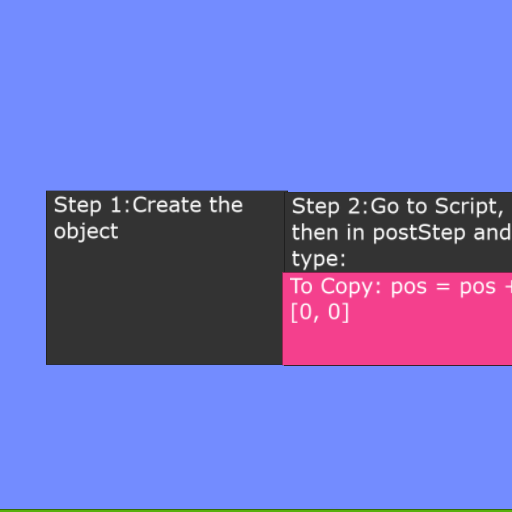
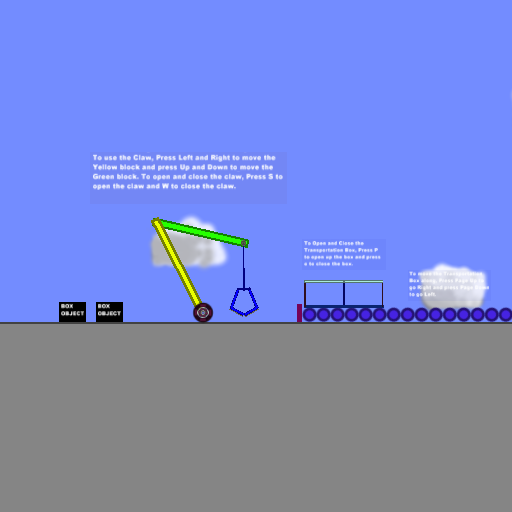
screenshot of the scene

Author: Jordan45

Group: Default

Filesize: 40.4 kB

Date added: 2026-02-01

Rating: 5

Downloads: 201

Views: 79

Comments: 3

Ratings: 1

Times favored: 0

Made with: Algodoo v2.2.4

Tags:

Scene tag

Tutorial #1
Please log in to rate this scene
edit
Similar scenes
Title: Mag-Ball, Level 1-2
Rating: 5
Filesize: 75.58 kB
Downloads: 601
Comments: 0
Ratings: 1
Date added: 2009/07/14 10:32:12
Made with: Phun
Rating: rated 5
download
Title: Mag-Ball, Level 1-3
Rating: 5
Filesize: 77.91 kB
Downloads: 574
Comments: 1
Ratings: 1
Date added: 2009/07/14 10:33:14
Made with: Phun
Rating: rated 5
download
Title: Mag-Ball, Level 1-5
Rating: 5
Filesize: 84.69 kB
Downloads: 589
Comments: 0
Ratings: 1
Date added: 2009/07/14 10:35:02
Made with: Phun
Rating: rated 5
download
Title: Time dilation and cakes
Rating: 5
Filesize: 19.48 kB
Downloads: 759
Comments: 3
Ratings: 1
Date added: 2021/10/19 06:40:39
Made with: Algodoo v2.1.0
Rating: rated 5
download
Title: Old Density-Collision Bug
Rating: 5
Filesize: 8.23 kB
Downloads: 1756
Comments: 9
Ratings: 1
Date added: 2009/11/27 16:59:10
Made with: Algodoo before v1.8.5
Rating: rated 5
download
Title: Mechanical Arm
Rating: 5
Filesize: 190.47 kB
Downloads: 463
Comments: 0
Ratings: 1
Date added: 2009/10/24 18:15:36
Made with: Phun
Rating: rated 5
download
FYI - "pos" is not velocity! It's a vector (x,y) that specifies an object's position in the Algodoo world. When you repeatedly add or subtract an offset that affects the X or Y component of the vector (like you are doing in this scene), it makes the object appear to move but it's actually just shifting its position very rapidly in discrete steps.
Last edited at 2026/02/01 17:30:50 by Xray
Sorry for that error:(
No problem! That's how we learn. ;)