Browse Search Popular Register Upload Rules User list Login:
Search:
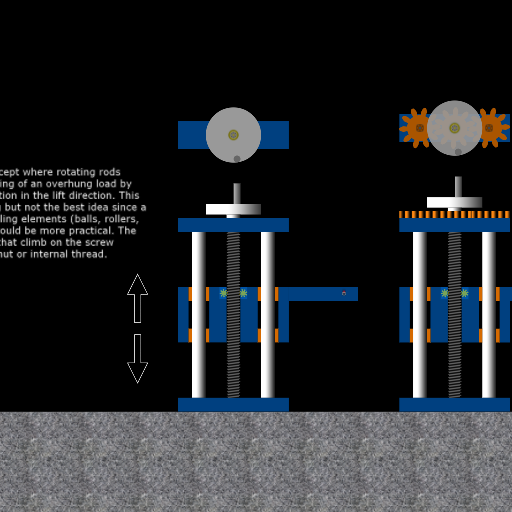
Rotating Rod Slide

Image:
screenshot of the scene

Author: s_noonan

Group: Default

Filesize: 395.72 kB

Date added: 2024-03-17

Rating: 5.6

Downloads: 2326

Views: 270

Comments: 5

Ratings: 2

Times favored: 0

Made with: Algodoo v2.1.0

Tags:

Scene tag

Rotating Rod Slide
Last edited at 2024/03/18 08:42:48 by s_noonan
Please log in to rate this scene
edit
Similar scenes
Title: Rotation equivalence
Rating: 5
Filesize: 24.78 kB
Downloads: 279
Comments: 0
Ratings: 1
Date added: 2021/01/09 18:47:49
Made with: Algodoo v2.1.0
Rating: rated 5
download
Title: Rotating Ball Illusion
Rating: 6.1111
Filesize: 187.77 kB
Downloads: 1614
Comments: 9
Ratings: 3
Date added: 2014/07/24 06:07:43
Made with: Algodoo v2.1.0
Rating: rated 6.1
download
Title: Colt 1911 Prop for WOW Collab Update: 6-2-09
Rating: 5
Filesize: 85.21 kB
Downloads: 2335
Comments: 6
Ratings: 1
Date added: 2009/06/02 01:48:01
Made with: Phun
Rating: rated 5
download
Title: FN FNP-45
Rating: 8.6111
Filesize: 112.92 kB
Downloads: 60444
Comments: 42
Ratings: 30
Date added: 2010/02/04 11:39:19
Made with: Phun
Rating: rated 8.6
download
Title: Thorsen
Rating: 5
Filesize: 202.44 kB
Downloads: 246
Comments: 0
Ratings: 1
Date added: 2019/02/06 00:11:40
Made with: Algodoo before v1.8.5
Rating: rated 5
download
Title: the slide!!!!!!!
Rating: 5
Filesize: 256.73 kB
Downloads: 209
Comments: 2
Ratings: 1
Date added: 2017/12/18 18:58:17
Made with: Algodoo v2.1.0
Rating: rated 5
download
Overall the scene is very well laid out and the interactions between the moving components are about as smooth as they can be with Algodoo. Excellent work! :tup:
Thanks.
By the way, you can link the knob handles with script rather than those hidden sliding bars that you used to tie the two knobs together. Here's what I did that works well:

In the upper knob handle (master):
PostStep = (e)=>{
scene.my.handlePos = pos
}

In the lower knob handle (slave):
PostStep = (e)=>{
pos = [scene.my.handlePos(0), pos(1)]
}

Of course if you do that to both assemblies you will have to use different variables for each such as scene.my.handlePosA and scene.my.handlePosB.
Last edited at 2024/03/17 22:00:03 by Xray
In general, I don't trust moving glued objects with scripting, but I tried it in this case and it appears to work fine. Thanks.
You're welcome.