Browse Search Popular Register Upload Rules User list Login:
Search:
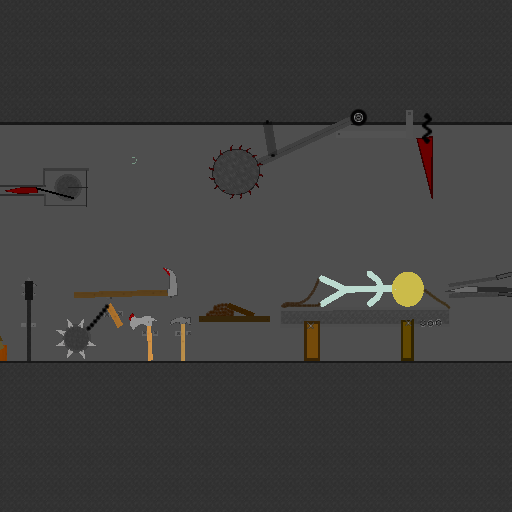
Based Crib Chamber PART 1

Image:
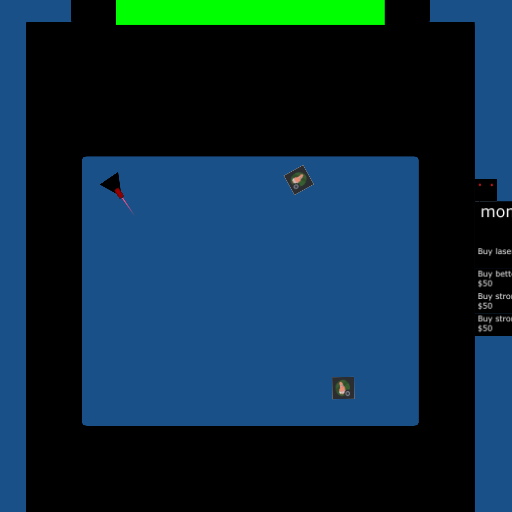
screenshot of the scene

Author: Xrel

Group: Default

Filesize: 110.62 kB

Date added: 2023-04-17

Rating: 5

Downloads: 240

Views: 108

Comments: 1

Ratings: 1

Times favored: 0

Made with: Algodoo v2.1.0

Tags:

Scene tag

Welcome to the chamber
Last edited at 2023/04/17 03:03:24 by Xrel
Please log in to rate this scene
edit
Similar scenes
Title: Based crib chamber
Rating: 5
Filesize: 102.84 kB
Downloads: 193
Comments: 0
Ratings: 1
Date added: 2023/04/15 18:58:08
Made with: Algodoo v2.1.0
Rating: rated 5
download
Title: Shotgun
Rating: 5
Filesize: 1.6 MB
Downloads: 2089
Comments: 0
Ratings: 1
Date added: 2014/02/26 04:42:34
Made with: Algodoo v2.1.0
Rating: rated 5
download
Title: One barrel shotgun
Rating: 4.8333
Filesize: 28.93 kB
Downloads: 495
Comments: 1
Ratings: 6
Date added: 2009/01/15 13:49:55
Made with: Phun
Rating: rated 4.8
download
Title: Chamber of Blood
Rating: 6.8333
Filesize: 468.09 kB
Downloads: 667
Comments: 4
Ratings: 6
Date added: 2008/09/23 03:47:33
Made with: Phun
Rating: rated 6.8
download
Title: Family FIXED
Rating: 5
Filesize: 144.79 kB
Downloads: 595
Comments: 2
Ratings: 1
Date added: 2014/10/22 22:14:57
Made with: Algodoo v2.1.0
Rating: rated 5
download
Title: Torture Chamber - Map 2 - High fall (Part 2)
Rating: 5
Filesize: 32.75 kB
Downloads: 1086
Comments: 0
Ratings: 1
Date added: 2014/09/27 16:14:45
Made with: Algodoo v2.1.0
Rating: rated 5
download
Xrel -- I noticed that the textures do not shrink along with the size of the box's when hit by the laser. That can be fixed by adding a little something to the textureMatrix. Here is a standard textureMatrix = [1.0, 0.0, 0.5, 0.0, 1.0, 0.5, 0.0, 0.0, 1.0]. If you add two simple calculations, then the size of the texture will increase or decrease with the size of the box. You need to modify elements 0 and 4 of the textureMatrix array like this:

textureMatrix = {[1/size(0), 0.0, 0.5, 0.0, 1/size(1), 0.5, 0.0, 0.0, 1.0]}

Make sure to include the beginning and ending squiggly brackets as shown here.

This can also be done with circles but it's slightly different because a circle size is determined by its radius. So it will look like this:

textureMatrix = {[1/radius, 0.0, 0.5, 0.0, 1/radius, 0.5, 0.0, 0.0, 1.0]}
Last edited at 2023/04/18 00:49:25 by Xray