Browse Search Popular Register Upload Rules User list Login:
Search:
Duolingo

Image:
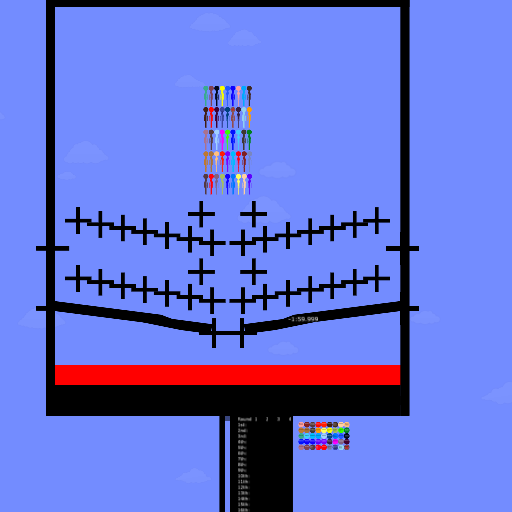
screenshot of the scene

Author: Yeme

Group: Default

Filesize: 1.54 MB

Date added: 2022-11-23

Rating: 5

Downloads: 1865

Views: 308

Comments: 20

Ratings: 1

Times favored: 0

Made with: Algodoo before v1.8.5

Tags:

Scene tag

Thanks for stopping by your house to get a few things from you guys to see what the heck are we going on with your other house and how are we going on the weekend. Thanks for stopping by this weekend.
Please log in to rate this scene
edit
Similar scenes
Title: duolingo be like
Rating: 5
Filesize: 10.16 kB
Downloads: 623
Comments: 0
Ratings: 1
Date added: 2024/12/06 00:25:59
Made with: Algodoo v2.1.0
Rating: rated 5
download
Title: Duolingo car
Rating: 5
Filesize: 29.84 kB
Downloads: 265
Comments: 0
Ratings: 1
Date added: 2025/09/03 23:14:07
Made with: Algodoo v2.2.4
Rating: rated 5
download
Title: duolingo the floor is lava
Rating: 5
Filesize: 0.51 MB
Downloads: 3501
Comments: 1
Ratings: 1
Date added: 2024/12/17 01:50:29
Made with: Algodoo v2.1.0
Rating: rated 5
download
Title: Super Duolingo Math Lesson
Rating: 5
Filesize: 469.84 kB
Downloads: 634
Comments: 0
Ratings: 1
Date added: 2025/01/12 19:59:08
Made with: Algodoo v2.2.3
Rating: rated 5
download
These look exactly like the characters that NumberBlock97104 made in his scenes! Can you prove that you didn't steal them from him? :huh:
He did give credit if you just put the camera to 9.5 numberblock keep scrolling up you’ll see he did give credit (sorry Xray if I wasn’t clear enough/it was wrong/if you don’t understand) I’m telling the truth, not lying, please don’t ban me I’m not talking nonsense
Thanks for the detail about that message in the scene in which he gives credit to the user that he copied items from. BUT, giving credit is NOT the same thing as getting permission! Take a look at my recent scene that explains the difference:

Giving Credit!
Oh ok I know so he/she might have copied with credit but other user: Hey, you can’t copy just because you gave me credit but I didn’t give you permission! Me: so the user might have not received permission?
Thanks though
And I checked that he did NOT ask to use this and DID NOT receive permission (ban him if you want)
Also, can you be banned for copying some else’s scenes/items in that scene?
Quote: (ban him if you want)

Reply: Are you giving me permission to ban someone? :o You are joking, right? :lol:
Um… I’m saying that it’s your choice if you want to ban him (I think you should because he didn’t receive permission + he didn’t ask)
Um Evan -- You don't need to tell me "it's your choice". I already know that. You also don't need to tell me what you think I should do about banning or not banning the person. I make my decisions based on the evidence I find. It is NOT based on what you think I should do.
Also just to let you know, he did not ask to use nor he didn’t get permission
Sorry though
Last edited at 2026/05/01 23:58:22 by EvanAndFriendsFunTime
Whoops misspelling 🤦‍♂️
I use mobile I don’t think I can edit on mobile
This is a test. I will edit this message on my cell phone (mobile).


TESTXXXXX
Last edited at 2026/04/26 20:07:02 by Xray
Okay, I proved that a comment can be edited on a mobile. I made my original comment with just the word TEST. I wrote the comment using my Windows desktop computer. Then I edited the text on my mobile phone by adding the five X's to the word TEST. My phone is a standard Android cell phone.

NO EXCUSES!!!! :lol:
How to edit?
First of all, a comment cannot be edited with the browser in the Algodoo app. You must use a standard web browser like Firefox or Edge or Chrome. While using the browser, go to the Algobox website and in the upper-right corner of the page you will see the sign-in information. After you sign-in with your username and password, go to the comment that you want to edit and click on the little yellow pencil and blue paper in the upper right corner of the comment. Once in the comment you can cut, copy, paste and reword any of your text. When satisfied with it click the "Submit" button at the bottom of the comment. Done!
Last edited at 2026/04/30 00:34:01 by Xray
Thanks! This works!
Last edited at 2026/05/01 23:58:40 by EvanAndFriendsFunTime
Awesome!