Browse Search Popular Register Upload Rules User list Login:
Search:
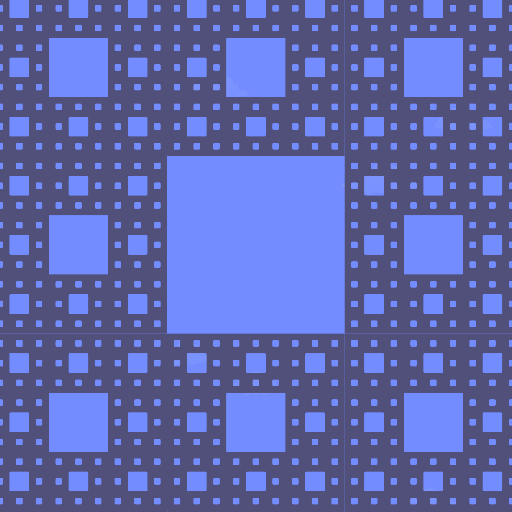
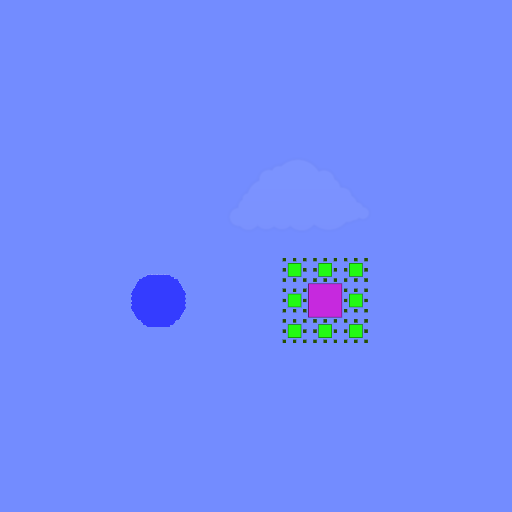
Sierpiński Carpet lvl6

Image:
screenshot of the scene

Author: watercolours

Group: Default

Filesize: 80.2 kB

Date added: 2022-11-01

Rating: 5

Downloads: 969

Views: 200

Comments: 1

Ratings: 1

Times favored: 0

Made with: Algodoo v2.1.0

Tags:

Scene tag

it's a fraction with zero surface area and infinite perimeter. but you can't create something actually infinite, so it's only level 6 (6 different sized holes). but this one is also made of 512 smaller level 3 carpets, because it would look terrible if not divided into smaller ones.
Last edited at 2022/11/02 03:55:12 by watercolours
Please log in to rate this scene
edit
Similar scenes
Title: Carpet Bomb Then Some
Rating: 5
Filesize: 47.05 kB
Downloads: 973
Comments: 0
Ratings: 1
Date added: 2009/09/24 23:16:08
Made with: Algodoo before v1.8.5
Rating: rated 5
download
Title: Sierpinski Carpet
Rating: 5.6667
Filesize: 0.78 MB
Downloads: 283
Comments: 0
Ratings: 3
Date added: 2008/07/26 13:35:20
Made with: Phun
no image found for this scene
Rating: rated 5.7
download
Title: OMGGGGGGGGGGGGGGGGGGG
Rating: 5
Filesize: 93.09 kB
Downloads: 271
Comments: 0
Ratings: 1
Date added: 2015/05/28 09:22:46
Made with: Algodoo v2.1.0
Rating: rated 5
download
Title: For MegaGate164
Rating: 5
Filesize: 0.62 MB
Downloads: 184
Comments: 2
Ratings: 1
Date added: 2017/10/14 10:50:11
Made with: Algodoo v2.1.0
Rating: rated 5
download
Title: TBC 26/64
Rating: 5
Filesize: 0.68 MB
Downloads: 218
Comments: 0
Ratings: 1
Date added: 2018/02/03 16:37:28
Made with: Algodoo v2.1.0
Rating: rated 5
download
Title: walker 4
Rating: 5
Filesize: 29.54 kB
Downloads: 313
Comments: 0
Ratings: 1
Date added: 2010/05/29 07:37:06
Made with: Phun
Rating: rated 5
download
This is really cool, and I figured out how to make it even cooler with dynamic COLOR! Here's how if interested: Select all 512 polygons, then in colorHSVA replace the value that's shown with this script (make sure to include the squigly brackets):

{
[(pos(0) + pos(1)) * sim.time * 8, 1.0, 1.0, 1]
}

Also, the colors will show up better if you darken the background.

Then edit the scene on Algobox with your edited scene.