Browse Search Popular Register Upload Rules User list Login:
Search:
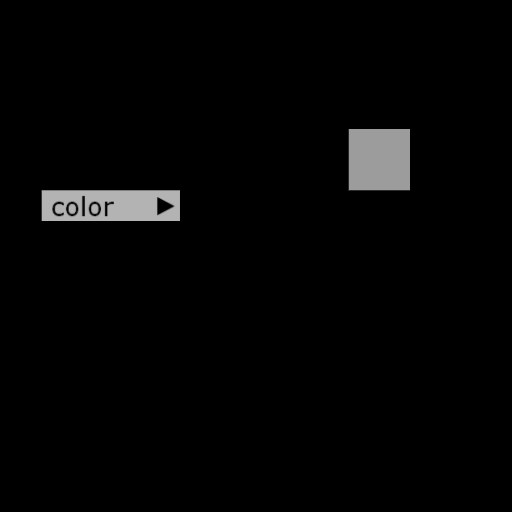
Drop Down Menu

Image:
screenshot of the scene

Author: s_noonan

Group: Technical

Filesize: 8.19 kB

Date added: 2019-01-30

Rating: 5

Downloads: 207

Views: 148

Comments: 5

Ratings: 1

Times favored: 0

Made with: Algodoo v2.1.0

Tags:

Scene tag

Drop Down Menu

Q: Is it fairly easy and straightforward for the average scripter to edit the data?
A: Maybe. This is how it works:

1. The drop down structure is determined by the _treeList structure.
2. The _treeList structure is a [myName:myNameCommand,[child0:child0Command, child1:child1Command, ...]] recursive structure.
3. The _doCommand executes the_treeList commands.
4. To make your own drop down menu, you need to modify only _treeList and _doCommand.

Rev A: _treeList now contains label and command.
Last edited at 2019/02/16 14:15:11 by s_noonan
Please log in to rate this scene
edit
Similar scenes
Title: User menu for Algodoo
Rating: 7.2308
Filesize: 25.09 kB
Downloads: 923
Comments: 8
Ratings: 7
Date added: 2011/01/24 21:42:26
Made with: Algodoo v1.8.5
Rating: rated 7.2
download
Title: User menu phunlet
Rating: 5
Filesize: 41.11 kB
Downloads: 682
Comments: 2
Ratings: 1
Date added: 2011/01/25 11:43:46
Made with: Algodoo v2.0.2 Edu
Rating: rated 5
download
Title: a tower for you to drop things off
Rating: 5
Filesize: 16.4 kB
Downloads: 538
Comments: 0
Ratings: 1
Date added: 2021/09/20 04:12:25
Made with: Algodoo v2.1.0
Rating: rated 5
download
Title: [LCS] Portex PC 1.11 LRE
Rating: 5.1111
Filesize: 57.95 kB
Downloads: 571
Comments: 5
Ratings: 3
Date added: 2011/04/06 02:00:40
Made with: Algodoo before v1.8.5
Rating: rated 5.1
download
Title: Drop The BFDI Contestants!
Rating: 5
Filesize: 0.75 MB
Downloads: 577
Comments: 1
Ratings: 1
Date added: 2016/04/04 01:26:58
Made with: Algodoo v2.1.0
Rating: rated 5
download
Title: Scene Control V2.2
Rating: 5.625
Filesize: 73.02 kB
Downloads: 905
Comments: 5
Ratings: 2
Date added: 2014/01/09 10:21:21
Made with: Algodoo v2.1.0
Rating: rated 5.6
download
This is awesome! Could be very useful for some scenes. Nice job....

Is it fairly easy and straightforward for the average scripter to edit the data? If not, then my suggestion is to make it so by adding some editing tools which don't require a PhD in computer science for the average person to understand and utilize. ;)
Q: Is it fairly easy and straightforward for the average scripter to edit the data?
A: Maybe. This is how it works:

1. The drop down structure is determined by the _treeList structure.
2. The _treeList structure is a [myName,[child0, child1, ...]] recursive structure.
3. The _commandList structure must match the _treeList structure.
4. The _doCommand executes the _commandList commands.
5. To make your own drop down menu, you need to modify only _treeList, _commandList, and _doCommand.
In answer #2, should that be "Sweet Child O' Mine"? I heard that Axl Rose and lead guitarist Slash are both very recursive.

OOPS, sorry, wrong child. My bad!


Thanks for the detailed explanation. :tup:
Last edited at 2019/01/31 03:11:13 by Xray
What is _treeList structure? How does it work?
Is there something about it on forum? If so, link please
Q: What is _treeList structure?
A: It's an Algodoo list structure that can be converted to a tree structure.

Q: How does it work?
A: See Python recursively printing a tree from a list structure.

Q: Is there something about it on forum?
A: Not that I know of.

Compare _treeList to the resulting drop down box structure to see how it works. You can change _treelist and then paste the _treeList list into _commandList if you just want to see how _treeList changes effect the drop down structure (since commands will no longer work unless you redefine them).