Browse Search Popular Register Upload Rules User list Login:
Search:
Mirror Polygon

Image:
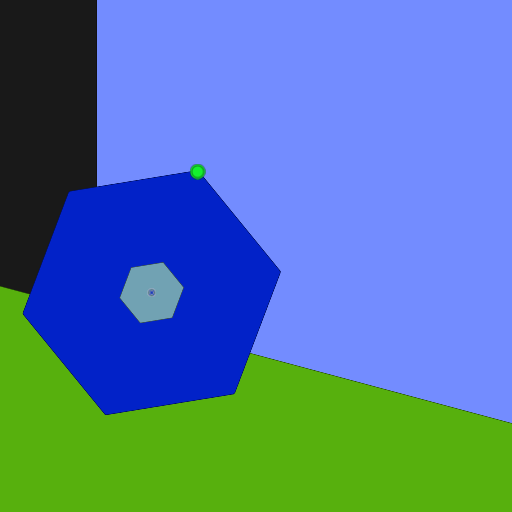
screenshot of the scene

Author: s_noonan

Group: Technical

Filesize: 198.5 kB

Date added: 2018-10-21

Rating: 5

Downloads: 470

Views: 277

Comments: 2

Ratings: 1

Times favored: 0

Made with: Algodoo v2.1.0

Tags:
tool

Scene tag

Mirror any polygon.
Last edited at 2018/10/27 12:46:07 by s_noonan
Please log in to rate this scene
edit
Similar scenes
Title: Slides Games
Rating: 5
Filesize: 12.08 kB
Downloads: 966
Comments: 0
Ratings: 1
Date added: 2023/06/24 20:47:35
Made with: Algodoo v2.1.0
Rating: rated 5
download
Title: scanner
Rating: 5
Filesize: 103.34 kB
Downloads: 406
Comments: 0
Ratings: 1
Date added: 2020/08/28 11:45:08
Made with: Algodoo v2.1.0
Rating: rated 5
download
Title: Non-Symmetrical Polygon Generator
Rating: 5.625
Filesize: 58.28 kB
Downloads: 956
Comments: 8
Ratings: 2
Date added: 2014/11/01 05:46:32
Made with: Algodoo v2.1.0
Rating: rated 5.6
download
Title: Numberblocks brush tool challenge 1-5
Rating: 5
Filesize: 81.4 kB
Downloads: 2413
Comments: 1
Ratings: 1
Date added: 2021/01/08 11:15:40
Made with: Algodoo v2.1.3
Rating: rated 5
download
Title: Destroy The City alpha v0.1
Rating: 5
Filesize: 0.83 MB
Downloads: 3415
Comments: 1
Ratings: 1
Date added: 2016/09/01 22:44:22
Made with: Algodoo v2.1.0
Rating: rated 5
download
Title: Modify Polygon Surface
Rating: 5.625
Filesize: 272.13 kB
Downloads: 469
Comments: 12
Ratings: 2
Date added: 2019/07/13 10:36:31
Made with: Algodoo v2.1.0
Rating: rated 5.6
download
I played around with this and discovered a couple of interesting properties: 1. If I use the Algodoo built-in mirror function before using the s_noonan mirror function, the polygon gets inverted. 2. If I cut the polygon using the knife tool, the texture of the cut portion gets messed up every other time I use the s_noonan mirror tool. Other than those minor discrepancies, this mirror function is quite clever, and I'm sure that someone will find some uses for it down the road. :tup:


MORE: 1. If the polygon has any internal open spaces, this function closes them! 2. When used on any non-polygon (e.g., circles and boxes), this function destroys them! 3. When used on a polygon with anything attached to it (e.g., fixates, axles, etc.) those attached items get destroyed.
Last edited at 2018/10/21 19:56:58 by Xray
Thanks Xray.

Fixed:
1. Knife cut problem.
2. Internal open spaces.
3. Destroyed boxes and circles.

Didn't fix:
1. Built in mirror issue.
2. Destroyed attachments.