Browse Search Popular Register Upload Rules User list Login:
Search:
Script motor

Image:
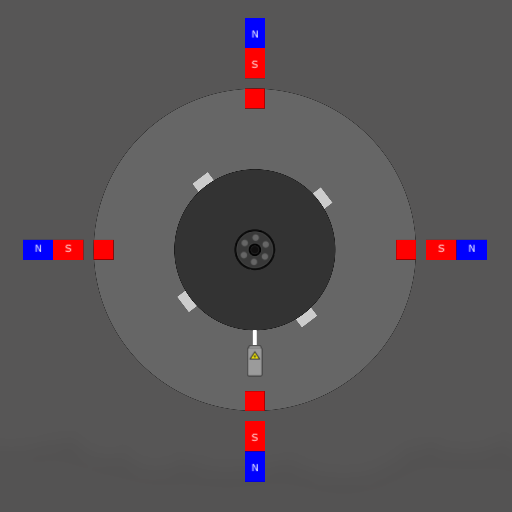
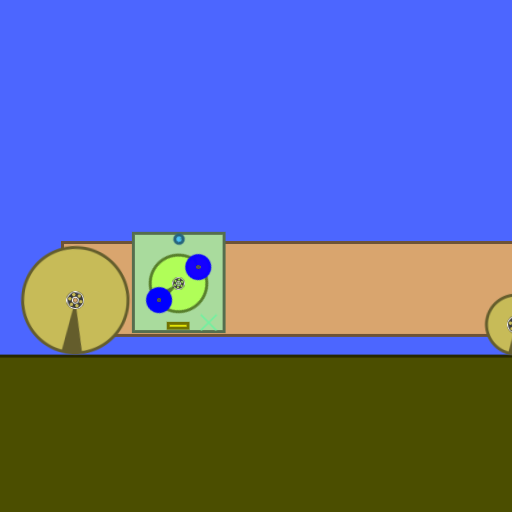
screenshot of the scene

Author: Skrubs

Group: Default

Filesize: 24.78 kB

Date added: 2017-07-24

Rating: 5

Downloads: 455

Views: 257

Comments: 7

Ratings: 1

Times favored: 0

Made with: Algodoo v2.1.0

Tags:

Scene tag

Script motor
Enter = Start
:cool:
Last edited at 2017/07/24 01:42:07 by Skrubs
Please log in to rate this scene
edit
Similar scenes
Title: SkyLander
Rating: 5
Filesize: 3.57 MB
Downloads: 1016
Comments: 0
Ratings: 1
Date added: 2009/04/27 20:02:56
Made with: Phun
Rating: rated 5
download
Title: Script deleting myself!
Rating: 5
Filesize: 26.45 kB
Downloads: 297
Comments: 2
Ratings: 1
Date added: 2016/07/16 03:38:29
Made with: Algodoo v2.1.0
Rating: rated 5
download
Title: No Motor/script Engine
Rating: 4.4546
Filesize: 10.24 kB
Downloads: 1097
Comments: 5
Ratings: 5
Date added: 2009/11/18 17:23:46
Made with: Phun
Rating: rated 4.5
download
Title: Bman Systems computer
Rating: 5.2
Filesize: 82.7 kB
Downloads: 612
Comments: 5
Ratings: 4
Date added: 2009/10/19 22:22:17
Made with: Phun
Rating: rated 5.2
download
Title: free energy device example
Rating: 5.5
Filesize: 17.32 kB
Downloads: 859
Comments: 1
Ratings: 2
Date added: 2009/04/07 06:28:37
Made with: Phun
Rating: rated 5.5
download
Title: Caterham R500 V2.0
Rating: 5
Filesize: 1.05 MB
Downloads: 1645
Comments: 1
Ratings: 1
Date added: 2014/08/18 09:43:13
Made with: Algodoo v2.1.0
Rating: rated 5
download
(e)=>{
scene.my.attraction = scene.my.attraction = 7000
}

What were you trying to accomplish here?

Think about it the mathematical way. You're saying that x = x = 700. We know that x = x, right? Then it would be enough by saying x = 700.

In short, use this:
(e)=>{
scene.my.attraction = 7000
}
On the circle too.

Also, you could make the engine a lot better by at least making the attraction last 45º instead of those roughly 10º
Thank you for the help
The Linkage
But no ,i tested on 45º and 10º
10 is better
Th Linkage
And the script is correct
The Linkage
The script barely works by chance. It is not correct lol
You can try using 120 Hz (Settings - Simulation - crank the slider up to 120) which will give you much more accuracy. Also try 45º and put scene.my.attraction = -7000 on the circle (leave the space between the = and the - or you will get an error) and scene.my.attraction = 7000 and it may have much more torque
My monitor support only 60hz
The Linkage
(e)=>{scene.my.attraction = scene.my.attraction = 7000}
Is the same as
(e)=>{scene.my.attraction = 7000}
So not wrong it was just programmed differently.