Browse Search Popular Register Upload Rules User list Login:
Search:
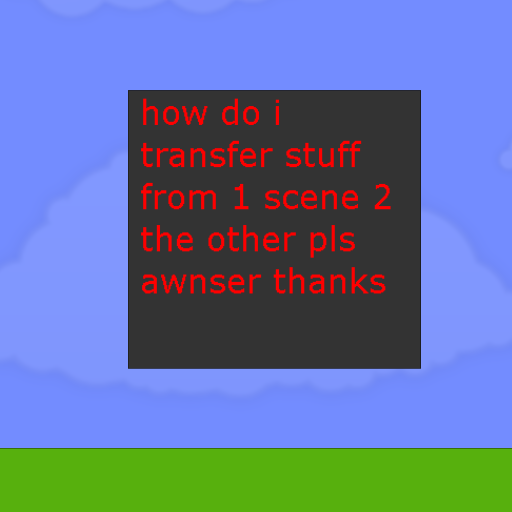
a question pls awnser

Image:
screenshot of the scene

Author: happykyle1119

Group: Default

Filesize: 34.59 kB

Date added: 2015-08-30

Rating: 5

Downloads: 102

Views: 204

Comments: 3

Ratings: 1

Times favored: 0

Made with: Algodoo v2.1.0

Tags:

Scene tag

pls help
Please log in to rate this scene
edit
Similar scenes
Title: johny bob boss 2! read description for trivia award.
Rating: 5.1
Filesize: 2.24 MB
Downloads: 1709
Comments: 15
Ratings: 4
Date added: 2009/06/02 04:27:13
Made with: Phun
Rating: rated 5.1
download
Title: one question.
Rating: 5
Filesize: 137.7 kB
Downloads: 155
Comments: 2
Ratings: 1
Date added: 2015/07/28 14:28:01
Made with: Algodoo v2.1.0
Rating: rated 5
download
Title: White laser+Prisim (triangle made of glass)=????
Rating: 5
Filesize: 69 kB
Downloads: 271
Comments: 0
Ratings: 1
Date added: 2016/12/26 14:17:45
Made with: Algodoo v2.1.0
Rating: rated 5
download
Title: projectile motion question
Rating: 5
Filesize: 3.34 kB
Downloads: 361
Comments: 1
Ratings: 1
Date added: 2025/02/08 04:57:20
Made with: Algodoo v2.2.3
Rating: rated 5
download
Title: 3 marble race + question
Rating: 5
Filesize: 53.49 kB
Downloads: 253
Comments: 1
Ratings: 1
Date added: 2025/05/18 13:37:44
Made with: Algodoo v2.2.0b
Rating: rated 5
download
Title: SPONGEBOB world
Rating: 5
Filesize: 0.79 MB
Downloads: 6302
Comments: 2
Ratings: 1
Date added: 2024/08/14 12:51:23
Made with: Algodoo v2.1.0
Rating: rated 5
download
A special trick called Copy and Paste
1. Select the objects you want by clicking them with the move tool or using the move tool to make a selection box around the things you want
2. With the items selected, press Ctrl and C at the same time
3. Create a new scene or go to another scene and press Ctrl and V at the same time
4. That's how you Copy Paste
Another thing to do called creating a component:
1. Select everything
2. Put it in the red car folder
3. Open a new scene
4. Click the red folder and find your thing (It will probably show it in a picture)
This method should be used for parts that will be used a lot, and to helf clarify, you can name it by highlighting over it, clicking a pencil icon, and typing in the name

Use the copy and paste method for something that you are going to use once:)

Hope this wasn't confusing.
thanks guys also good luck alasmyfoe on edwurdea camp