Browse Search Popular Register Upload Rules User list Login:
Search:
Weird.

Image:
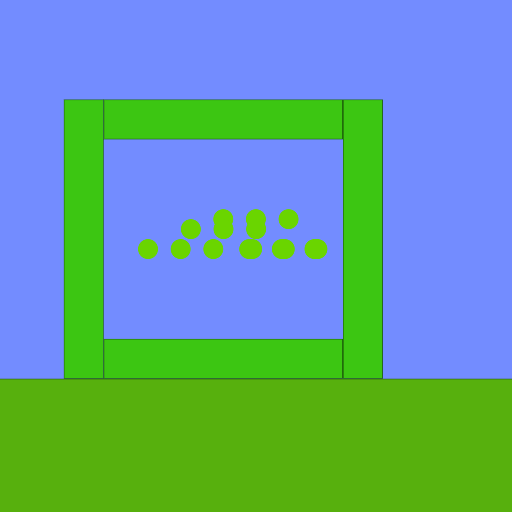
screenshot of the scene

Author: macky527

Group: Default

Filesize: 8.3 kB

Date added: 2015-07-17

Rating: 5

Downloads: 169

Views: 174

Comments: 8

Ratings: 1

Times favored: 0

Made with: Algodoo v2.1.0

Tags:

Scene tag

Wait,No hue????
Please log in to rate this scene
edit
Similar scenes
Title: weird thingy
Rating: 5
Filesize: 31.36 kB
Downloads: 375
Comments: 2
Ratings: 1
Date added: 2016/01/16 15:01:20
Made with: Algodoo v2.1.0
Rating: rated 5
download
Title: Weird Car 2<crashable>
Rating: 5.625
Filesize: 49.07 kB
Downloads: 681
Comments: 1
Ratings: 2
Date added: 2010/03/20 00:36:22
Made with: Phun
Rating: rated 5.6
download
Title: Weird Rotor
Rating: 5
Filesize: 4.7 kB
Downloads: 515
Comments: 1
Ratings: 1
Date added: 2008/08/15 23:49:20
Made with: Phun
Rating: rated 5
download
Title: Weird Super Mario Bros. Pixel Art
Rating: 5
Filesize: 39.26 kB
Downloads: 926
Comments: 1
Ratings: 1
Date added: 2016/03/16 15:55:38
Made with: Algodoo v2.1.0
Rating: rated 5
download
Title: weird bug
Rating: 5
Filesize: 24.75 kB
Downloads: 339
Comments: 1
Ratings: 1
Date added: 2022/07/13 15:36:39
Made with: Algodoo v2.1.0
Rating: rated 5
download
Title: weird thing i made
Rating: 5
Filesize: 10.18 kB
Downloads: 311
Comments: 0
Ratings: 1
Date added: 2024/08/16 19:15:45
Made with: Algodoo v2.1.0
Rating: rated 5
download
That is.... Odd...
:?
:x
:(
:)
:o
O-O
The blue element of the color array lost its value for some reason. When a variable is supposed to have a valid number (between zero and one, for example) but the variable got corrupted, then Thyme will label the value as "NAN" which means "Not A Number". If you change NAN in the blue value of the color array to any value between zero and one, then everything will work correctly.
LOL!
But how????
The same way you change the value of ANY variable. Just select the NAN (highlight it) and enter your new value (Such as 1.0). When you press the Enter key, the new value will be stored in that variable. SIMPLE!