
1.8.4 custom variables in geom scope
6 posts • Page 1 of 1
1.8.4 custom variables in geom scope
 by Kilinich » Mon Dec 13, 2010 8:58 pm
If I set new variable in geom scope (from script window or from onCollide event e.this.myvar := someting)
and this variable contain big list, algodoo hang on trying display script window for a few minutes.
I think it must have kinda limit for that and simple cut exceeded text.
and this variable contain big list, algodoo hang on trying display script window for a few minutes.
I think it must have kinda limit for that and simple cut exceeded text.
Dream of Algodoo as game development engine...
-

Kilinich - [Best bug reporter 2010]
- Posts: 2098
- Joined: Mon Aug 31, 2009 8:27 pm
- Location: South Russia
Re: 1.8.4 custom variables in geom scope
by Kilinich » Thu Aug 04, 2011 3:13 pm
example:
draw box
open script menu
type in bottom edit box: "a := scene.addBox {}"
it will display all new box properties. I think just "class: box" will be enough.
draw box
open script menu
type in bottom edit box: "a := scene.addBox {}"
it will display all new box properties. I think just "class: box" will be enough.
Dream of Algodoo as game development engine...
-
Kilinich - [Best bug reporter 2010]
- Posts: 2098
- Joined: Mon Aug 31, 2009 8:27 pm
- Location: South Russia
Re: 1.8.4 custom variables in geom scope
by PhunWars » Fri Aug 05, 2011 1:03 am
You mean that if you type a long script let's say in the oncollide box it will show you just a grey box like if it isn't written anything ? Happened to mee too, editing a wrong script from that box is nearly impossible because you have to copy it and paste it on wordpad to edit it...

-

PhunWars - Posts: 78
- Joined: Wed Dec 30, 2009 11:01 pm
Re: 1.8.4 custom variables in geom scope
by Kilinich » Fri Aug 05, 2011 7:39 am
PhunWars wrote:You mean that if you type a long script let's say in the oncollide box it will show you just a grey box like if it isn't written anything ? Happened to mee too, editing a wrong script from that box is nearly impossible because you have to copy it and paste it on wordpad to edit it...
I didn't try long script in onCollide, I usually hide it in some scene.my functions but if you open laser script menu from that scene: http://www.algodoo.com/algobox/details/49908 (it's near display)
you wil get a long Aldodoo hang and after a few minutes a picture like this:
- Attachments
-
 ScriptWindowBug.png
- Script menu display bug
- (496.47 KiB) Downloaded 2 times
Dream of Algodoo as game development engine...
-
Kilinich - [Best bug reporter 2010]
- Posts: 2098
- Joined: Mon Aug 31, 2009 8:27 pm
- Location: South Russia
Re: 1.8.4 custom variables in geom scope
by Someone Else » Sat Aug 06, 2011 2:57 am
Yeah, that's happened to me, also. Only I saw what looked like vertically mirrored and squashed menu buttons.
And what's that in the background of the picture?
And what's that in the background of the picture?
Matthias Wandel is epic, in my humble opinion.
I love my brain...
ARE YA HAPPY NOW?????
Thymechanic/Phundamentalist
Recently, I discovered something a lot of you probably already knew: Minecraft is awesome.
Due to this, I may not be as active as usual for a while.
I love my brain...
TC42 wrote:Also, your sig is too big, please change it.
ARE YA HAPPY NOW?????
Thymechanic/Phundamentalist
Recently, I discovered something a lot of you probably already knew: Minecraft is awesome.
Due to this, I may not be as active as usual for a while.
-

Someone Else - Posts: 1147
- Joined: Sun Nov 21, 2010 10:53 pm
- Location: The Milky Way Galaxy
Re: 1.8.4 custom variables in geom scope
by electronicboy » Sat Aug 06, 2011 8:30 am
never had that bug before...
Ive had one similar though, the text in the script menu box looked corrupted... Not sure if this is related, but might be.
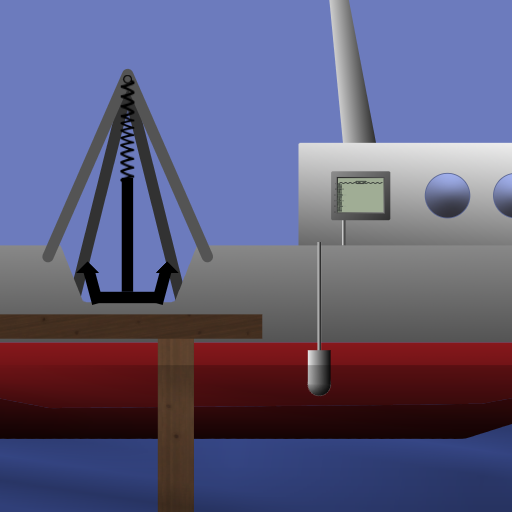
Also, background scene is:
Ive had one similar though, the text in the script menu box looked corrupted... Not sure if this is related, but might be.
Also, background scene is:


When asking for help, READ THE STICKIES!
- electronicboy
- Posts: 1694
- Joined: Mon Aug 31, 2009 6:18 pm
6 posts • Page 1 of 1
Who is online
Users browsing this forum: No registered users and 1 guest


